
Mark dishes and drinks unavailable as soon as they sell out. Guests see what can still be ordered before they ask staff.
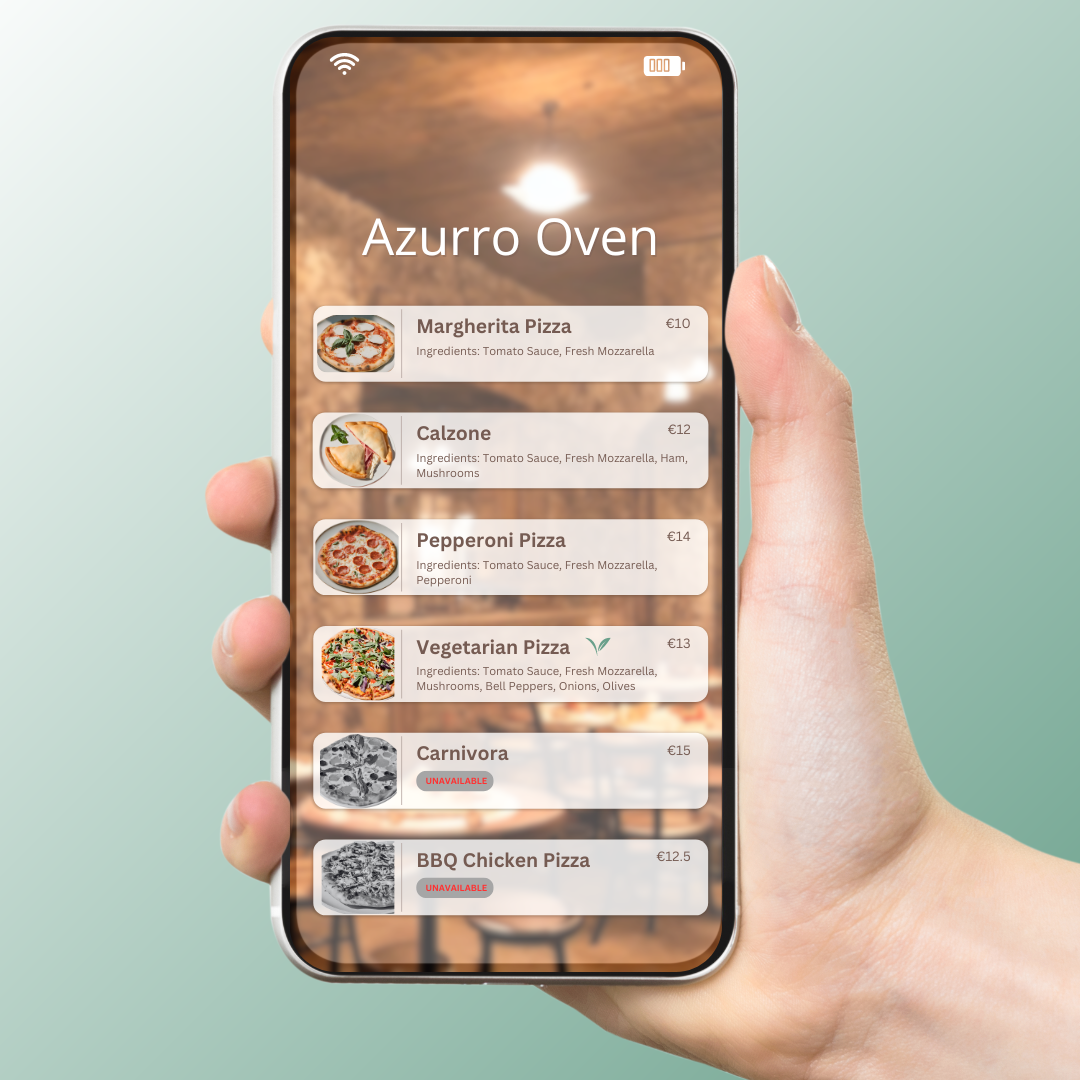
Sold-out items create friction at the table, counter, or truck window. Guests choose a dish, staff explain it is gone, and the order starts over. With Menulio, unavailable items stay visible but clearly marked, so guests understand what can actually be ordered.
This is useful for restaurants with seasonal prep, cafes with daily pastries, bars with rotating drinks, and food trucks that sell through limited batches during service.
Guests can see when an item is unavailable before building their order around it.
The public QR menu matches what the kitchen, bar, or truck can serve right now.
You do not need a new printout when an item runs out. Update the live menu instead.
1. Open the item in your Menulio menu builder.
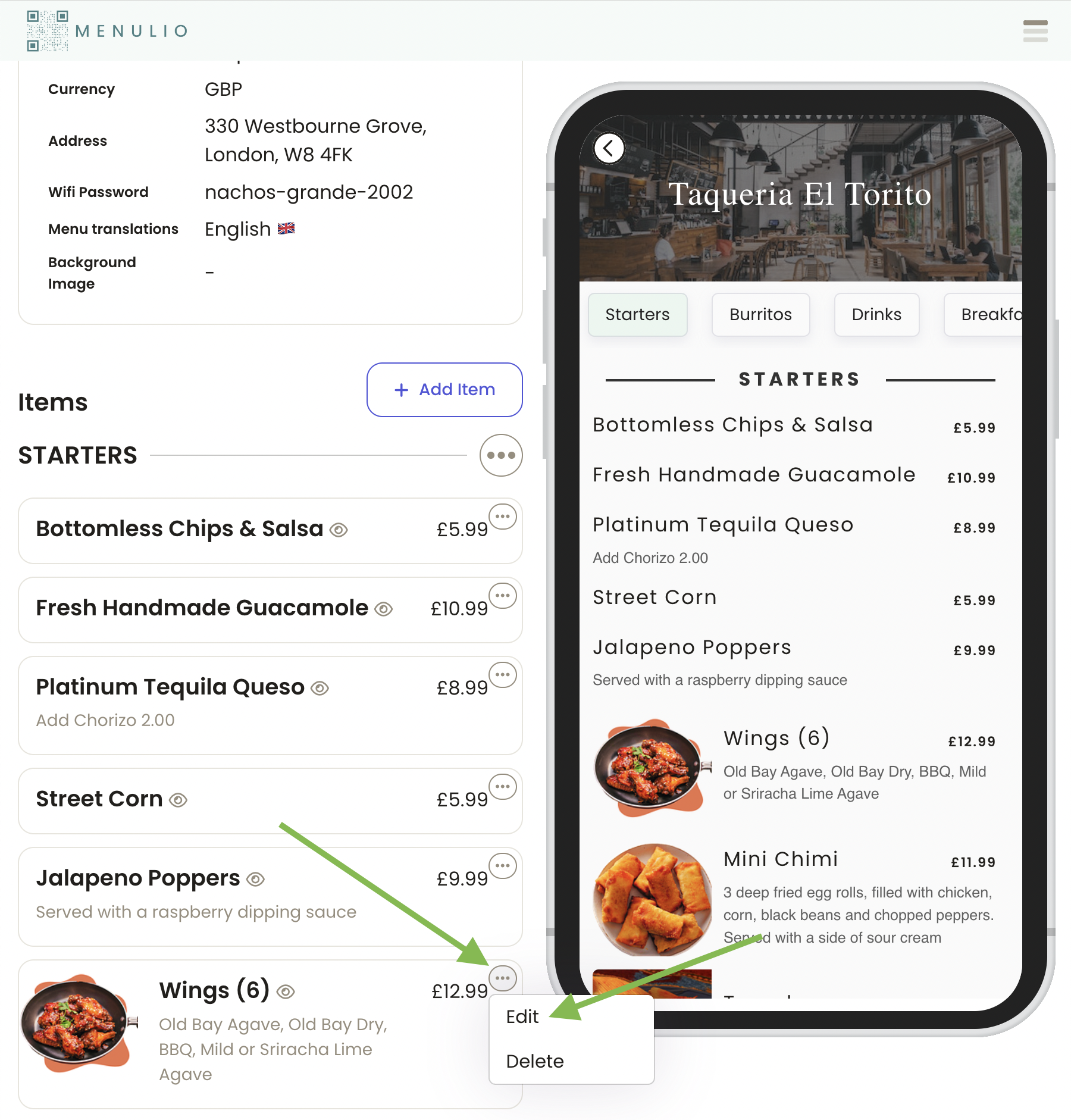
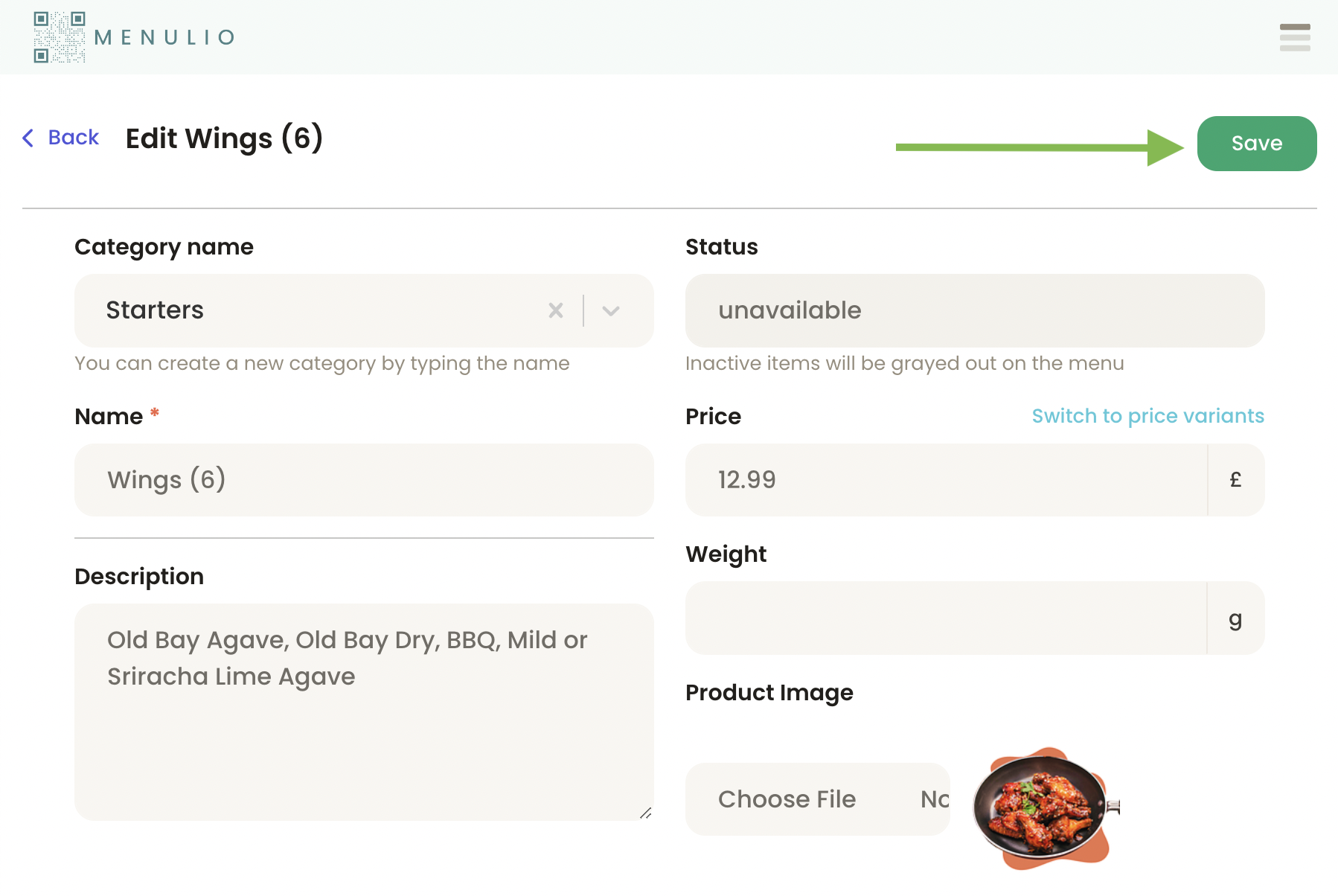
2. Change the item status from available to unavailable.
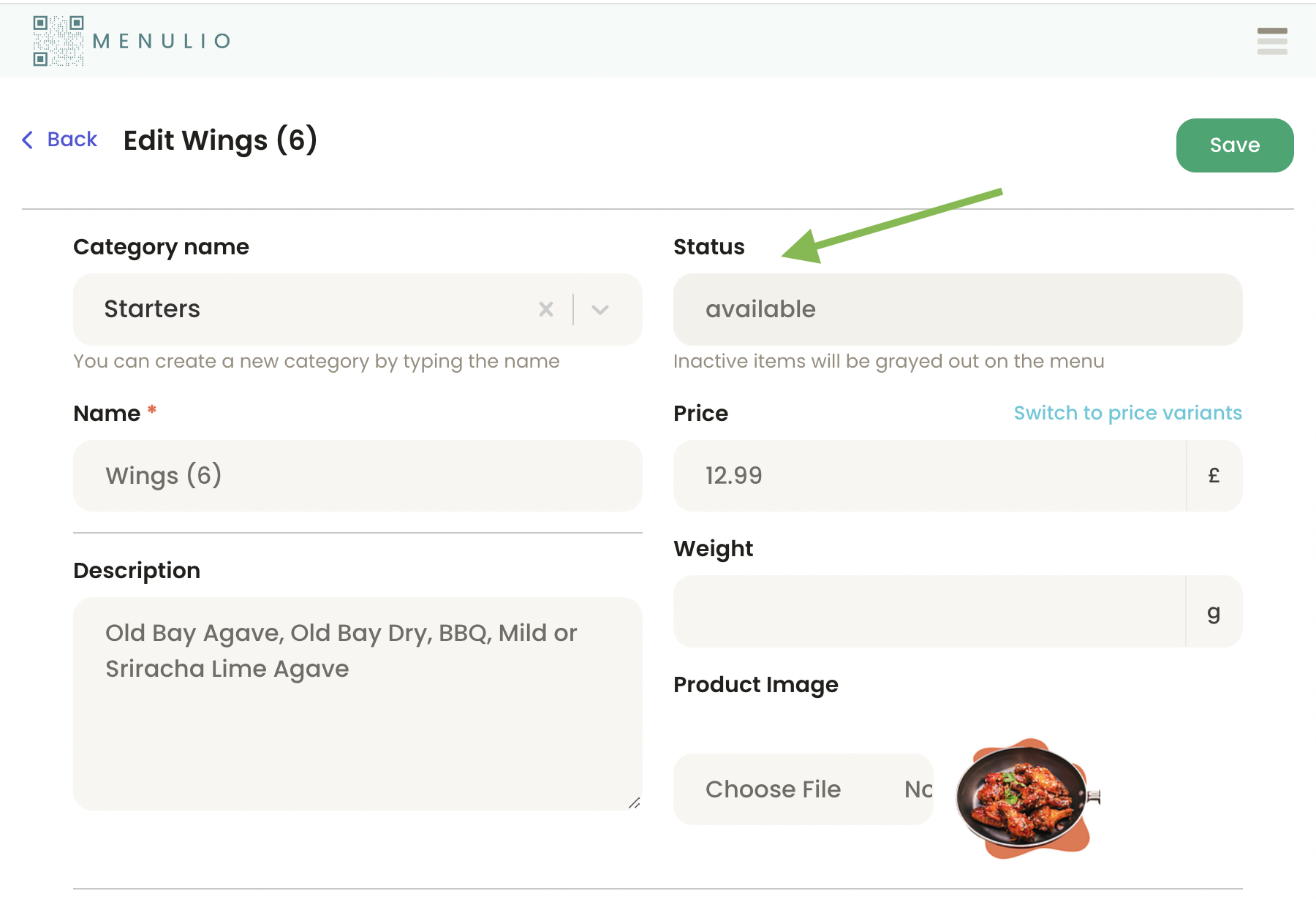
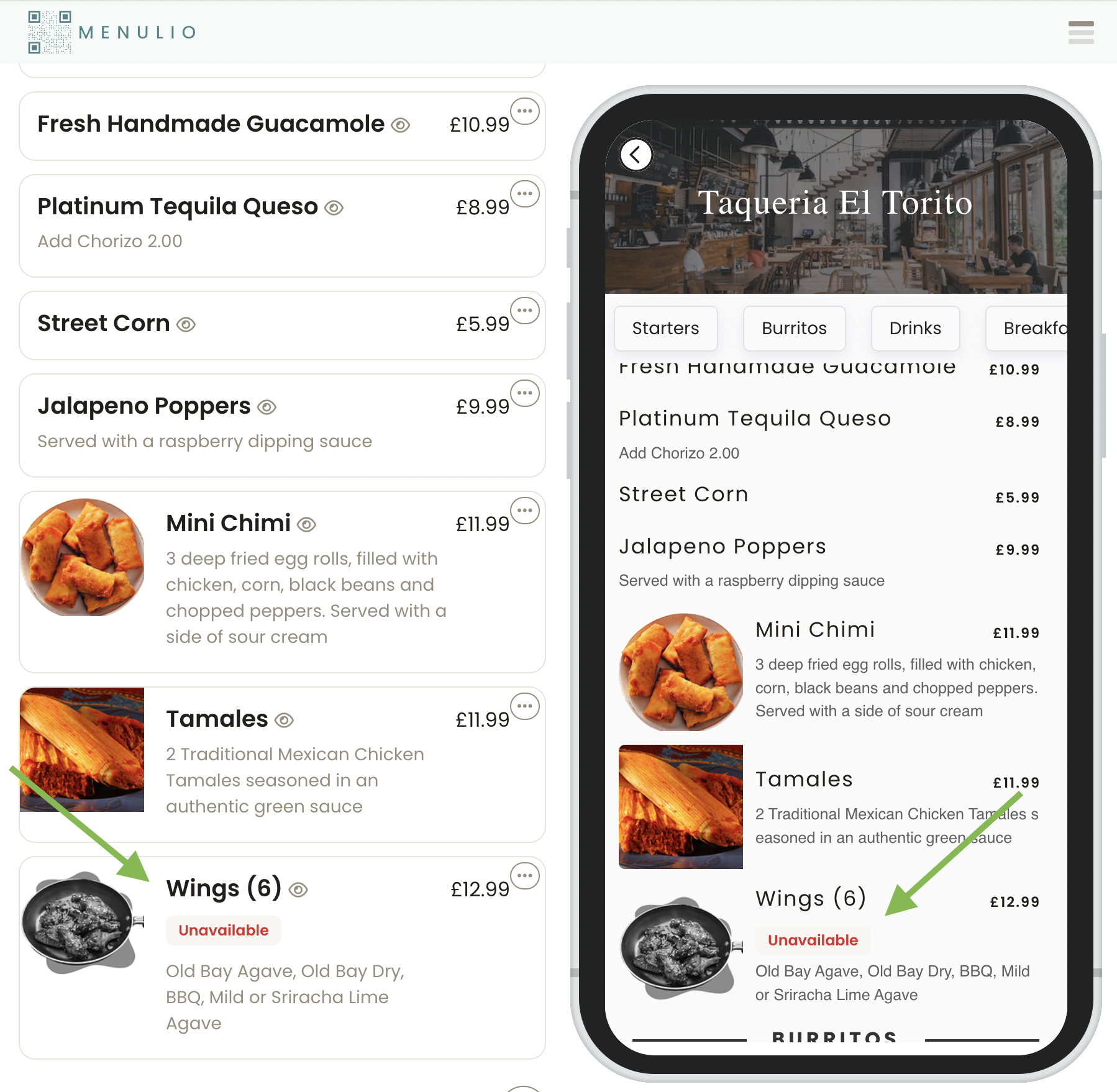
3. Save the change. The public QR menu marks the item as unavailable, and item photos are visually muted.
4. Menulio sorts unavailable items to the end of the category, keeping available choices easier to scan.
Try it free for 15 days
10€/ month afterwards